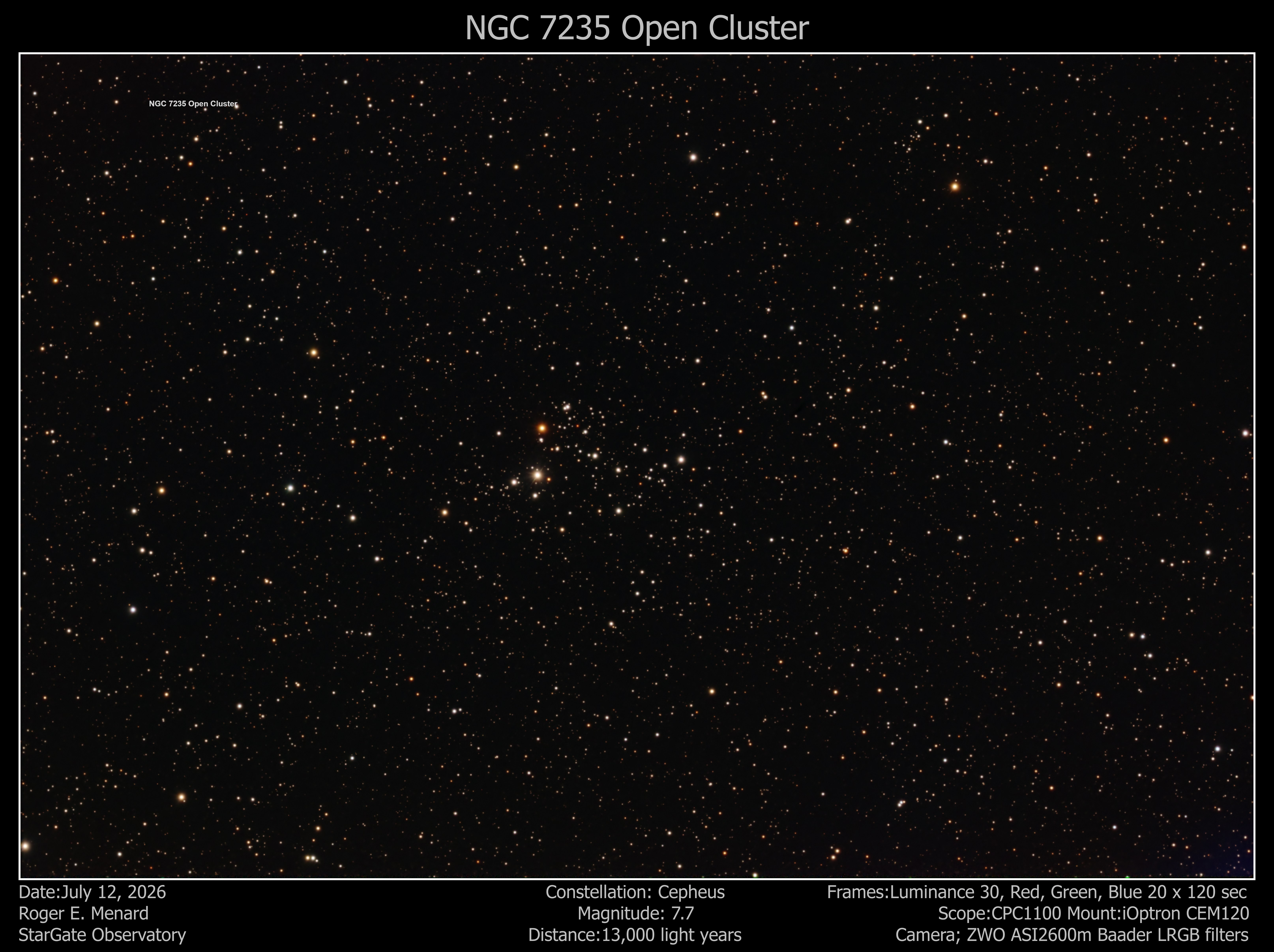
NGC 7235
Also Known as: NGC 7234, C 2210+570, OCI 229, Collinder 447
Object Type: Open Cluster
Constellation: Cepheus
Distance from Earth: 9,208 light years
Apparent Magnitude: 7.7
Coordinates: RA 22H 12M 26 Sec DEC 57 deg 16 min 20 sec
Actual Size: 20 light years.
Apparent Dimensions: 4 arcminutes
--------------------------------------------------------------------------
Environmental Data
Date: July 12, 2026 Start Time: 9:32 PM End Time: 12:49 AM SQM: 17.83
Moon Age: 27.2 days Moonrise: 1:55 AM Moon Illumination: 6.1%
Temperature: 68.9 degrees F Humidity: 68% Dew Point: 57.9 degrees F
Location: Westport, Massachusetts 02790 Sky Condition: Clear
Comment:
--------------------------------------------------------------------------
Imaging Scope Data
Mount: iOptron CEM120 Camera: ZWO ASI2600 monochrome Focuser: Optec QuickSync FT20
Telescope: Celestron 11 inch SCT Edge Focal Length: 2800mm
Focal Reducer/Field Flattener: None Dew Heater: Kendrick dew strip
Filter Wheel : ZWO EFW 7 position 2 inch Filter(s): Baader Lum CMOS optimized 2 inch, Baader RED CMOS optimized 2 inch, Baader GREEN CMOS optimized 2 inch, Baader BLUE CMOS optimized 2 inch
Rotator: Pegasus Falcon 2 Power Control: Pegasus Ultimate Powerbox V2
Imaging Software
Mount: iOptron Commander Focuser: Optec FocusLynx Commander
Imaging: Sequence Generator Pro Platesolve: ASTAP (native) Rotator/Control: Pegasus Unity Platform
Imaging Status
Imaging Software: Sequence Generated Focus HFR 3.03 Platesolve: Success on 3th attempt
--------------------------------------------------------------------------
Guide Scope Data
Telescope: Stellarvue SVX130 refractor Camera: ZWO ASI290 Focuser: Optec DirectSync SV35
Dew Heater: Kendrick dew strip Software: PHD2 Exposure: 1 sec Binning: 1x1 Tracking Result: 0.55-0.9 arc-seconds RMS
--------------------------------------------------------------------------
Images Taken
Number of light frames (LUM): 30 Duration: 2 minutes Gain: 100
Number of light frames (Red): 20 Duration: 2 minutes Gain: 100
Number of light frames (green): 20 Duration: 2 minutes Gain: 100
Number of light frames (Blue): 20 Duration: 2 minutes Gain: 100
Camera Temperature: 0 degrees C Binning: 1x1 F-Stop: 10.0
Total Integration Time: 3 hours
--------------------------------------------------------------------------
Number of flat frames (LUM): 0 Duration: 0.11 Gain:100
Number of flat frames (Red): 0 Duration: 0.36 Gain: 100
Number of flat frames (Green): 0 Duration: 0.23 Gain: 100
Number of flat frames (Blue): 0 Duration: 0.48 Gain: 100
Flat Field Illumination: All-Pro 'Spike-a-Flat Field standard' illuminated panel
--------------------------------------------------------------------------
Number of Dark frames: 50 (from library) Duration: 2 minutes Gain: 100
Number of Bias frames: 50 (from library) Duration: 0.001 seconds Gain: 100
--------------------------------------------------------------------------
Imaging Processing
Imaging Processing Software: PixInsight
Processes utilized: Linear - calibration/integration:
For each of the LUM, RED, GREEN, BLUE, Flats ImageCalibration with Master Bias, Flat ImageIntegration, Images ImageCalibration with Flat Master & Dark Master, SubFrameSelector
StarAlign all calibrated lights using best LUM image as reference, ImageIntegration of each of the LUM, RED, GREEN, and BLUE sets
Linear - Background extraction, Color correction, deconvolution, noise reduction:
LUM GraXpert, BlurXTerminator, NoiseXterminator.
RED/GREEN/BLUE GraXpert, ChannelCombine to create color image using only Red/Green/Blue, BlurXTerminator, NoiseXterminator, Image Solver script, SpectroPhotometricColorCalibration
Non-Linear:
LUM: MultiscaleAdaptiveStretch
Color:MultiscaleAdaptiveStretch, BlemishBlaster script to remove small artifact, CurvesTransformation to increase contrast
--------------------------------------------------------------------------
Notes: I did not use the Luminance subs in the final image
Click Below Image for Full Size:
 Click to Return to Home Page